

Download Wondershare Data Recovery – Mac data recovery, free preview, secure recovery tool
Overview
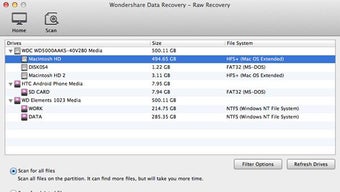
Wondershare Data Recovery for Mac is a full‑featured, user‑friendly utility designed to bring back lost or corrupted files on macOS systems. Whether you’ve accidentally emptied the Trash, formatted a partition, suffered a virus attack, or experienced an unexpected power outage, this tool scans deep into HFS+, FAT16/32, and NTFS volumes to locate every trace of your missing data. It works not only on internal Mac hard drives but also on external media such as iPods, USB flash drives, SD cards, digital cameras, and even mobile devices that use MP3/MP4 players.
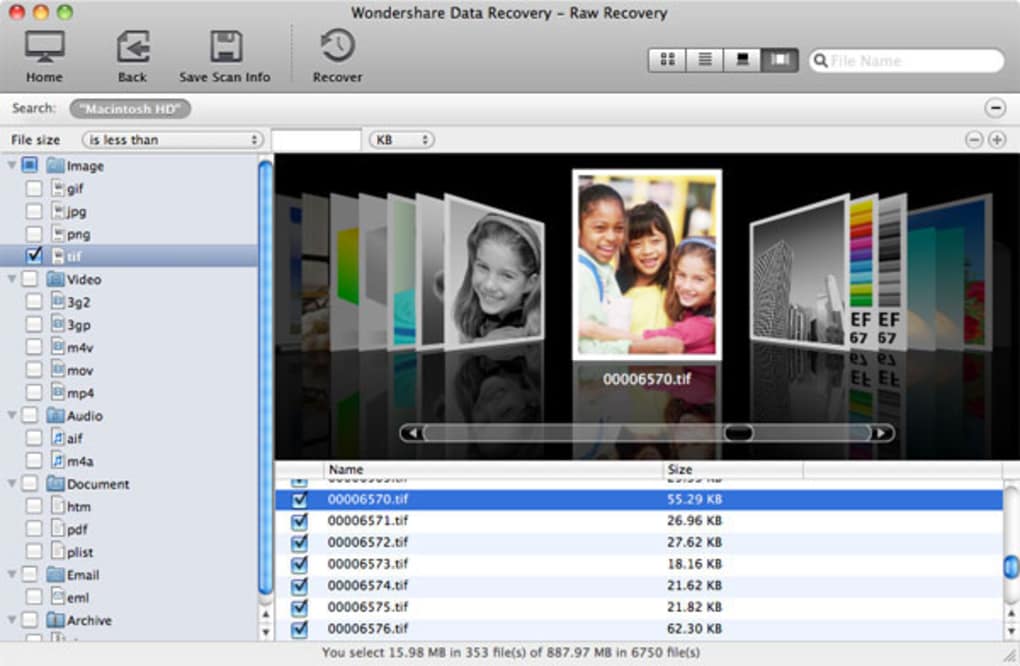
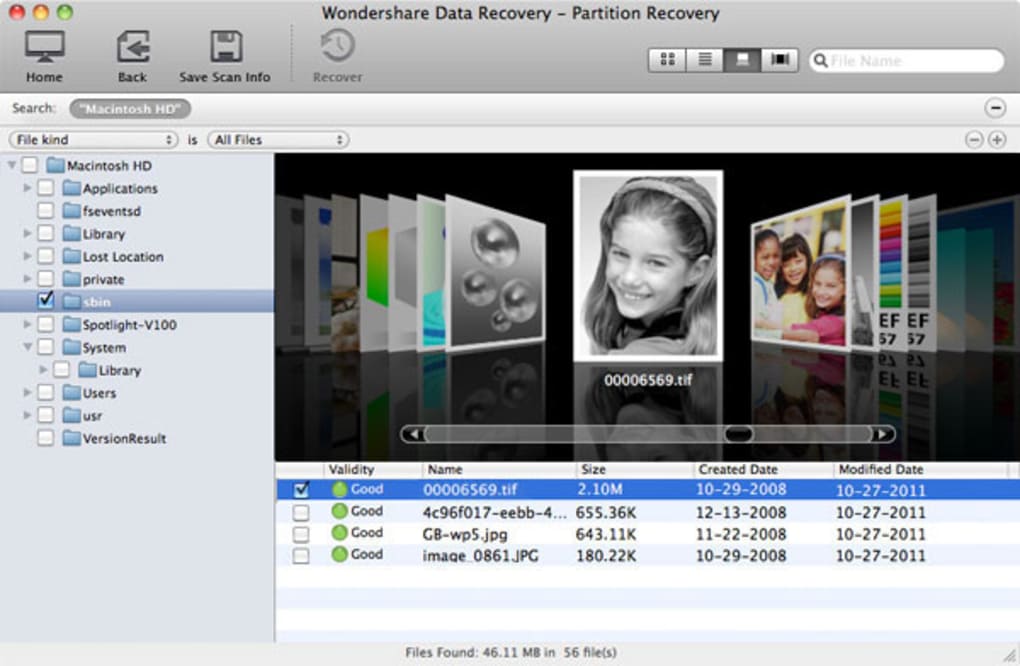
The software preserves the integrity of the original storage by performing a read‑only scan, ensuring that no further damage occurs during the recovery process. With a clear, thumbnail‑based preview, users can verify files before committing to a full restore, saving time and storage space. Advanced Hex mode displays text‑based files correctly, which is essential for identifying corrupted documents that otherwise appear unreadable.
Wondershare Data Recovery is particularly valuable for professionals who handle large media libraries, photographers needing to rescue raw images, and everyday users who simply want peace of mind that a single click can reverse accidental deletions. The intuitive interface, combined with powerful deep‑scan algorithms, makes it a reliable choice for anyone seeking a secure, free‑to‑try Mac data recovery solution.
Key Features and How to Install
- Deep Scan Engine – Thoroughly examines corrupted sectors, formatted volumes, and hidden partitions.
- Multi‑Device Support – Recovers data from Mac hard drives, iPods, USB sticks, SD cards, cameras, and smartphones.
- File Type Flexibility – Restores photos, videos, audio, archives, documents, and even raw hex‑view of text files.
- Preview Before Recovery – Thumbnail and Hex previews let you confirm files prior to download.
- Read‑Only Recovery Mode – Guarantees original data remains untouched during the scan.
- Cross‑File‑System Compatibility – Works with HFS+, FAT16/32, and NTFS partitions.
- Secure Deletion Option – Permanently wipes unrecoverable files to protect privacy.
Installation Steps
Getting started with Wondershare Data Recovery is straightforward. First, visit the official Wondershare website and click the “Download for Mac” button. The installer package (DMG) will be saved to your Downloads folder.
Double‑click the DMG file, then drag the application icon into your Applications folder. macOS may prompt you to confirm that you trust the developer; click “Open” to proceed. Upon first launch, you’ll be asked to grant the app Full Disk Access—a crucial permission that allows the software to read every sector of your drive. Navigate to System Preferences → Security & Privacy → Privacy tab, select “Full Disk Access,” and add Wondershare Data Recovery to the list.
After granting permissions, restart the app. The welcome screen guides you through selecting the drive or device you wish to scan. Choose either a “Quick Scan” for recent deletions or a “Deep Scan” for more complex data loss scenarios.
Once the scan completes, browse the results, preview files, and click “Recover” to save them to a different storage location (never the same drive you are scanning). The entire process—from download to first successful recovery—usually takes under ten minutes for most typical use cases.
Compatibility, Pros & Cons
Wondershare Data Recovery is optimized for macOS 10.13 (High Sierra) and later, including macOS Ventura, Monterey, and Big Sur. The software runs natively on both Intel‑based Macs and Apple Silicon (M1/M2) devices, automatically selecting the appropriate architecture during installation. While the primary focus is macOS, the program can also read Windows‑formatted NTFS drives, making it a versatile cross‑platform recovery solution for mixed environments. Minimum system requirements include 2 GB RAM, 500 MB of free disk space for the application itself, and a stable internet connection for license activation and updates.
Pros
- Highly accurate deep‑scan algorithm that recovers up to 95 % of lost files.
- Supports a wide range of file systems (HFS+, FAT, NTFS) and devices.
- User‑friendly interface with real‑time preview of photos, videos, and documents.
- Read‑only scanning protects original data from further corruption.
- Regular free updates ensure compatibility with the latest macOS releases.
Cons
- The free version limits the amount of data you can recover in a single session.
- Deep scans on large 4 TB drives can take several hours, depending on hardware.
- Full Disk Access permission may be intimidating for privacy‑conscious users.
- No built‑in command‑line interface for advanced automation.
- License is per‑machine; multi‑device families may need additional purchases.
Frequently Asked Questions
Can Wondershare Data Recovery restore files from a completely formatted drive?
Yes. The Deep Scan mode is capable of reconstructing the file system table even after a full format, as long as the physical sectors haven’t been overwritten. Recovery rates are highest when the scan is performed immediately after formatting.
Is the software safe to use on SSDs that use TRIM?
Wondershare Data Recovery reads data in a read‑only manner, which does not trigger TRIM commands. However, if TRIM has already cleared the blocks, recovery may be limited. It’s best to run the scan as soon as possible after data loss.
Do I need an internet connection to recover files?
An internet connection is required only for license activation and to receive software updates. The actual scanning and recovery processes are performed locally on your Mac.
Can I preview recovered files before saving them?
Absolutely. The built‑in preview window displays thumbnails for images, plays video/audio files, and shows text in Hex mode for documents, allowing you to verify each file’s integrity before committing to recovery.
What is the difference between the free and paid versions?
The free version lets you scan and preview unlimited files but caps the amount of data you can actually recover (usually up to 100 MB). The paid license removes this limitation, adds priority technical support, and unlocks batch recovery for large data sets.
Conclusion & Call to Action
Wondershare Data Recovery for Mac stands out as a reliable, secure, and versatile solution for anyone facing accidental deletions, formatting mishaps, or virus‑induced data loss. Its deep‑scan engine, cross‑file‑system compatibility, and intuitive preview features provide a safety net that many Mac users overlook until it’s too late. While the free tier imposes a modest recovery limit, the paid version offers unlimited restores and professional support—making it a worthwhile investment for power users and small businesses alike. Ready to protect your digital memories? Download Wondershare Data Recovery now and experience a secure, hassle‑free recovery process that puts your data back where it belongs.







